You can run a survey on Squarespace in three ways: a form block with its built-in Survey field, an embedded survey tool, or a scored quiz. The form block is already in your plan and fine for simple feedback. A survey tool adds deeper logic and reports. A quiz turns each set of answers into a result and a lead.
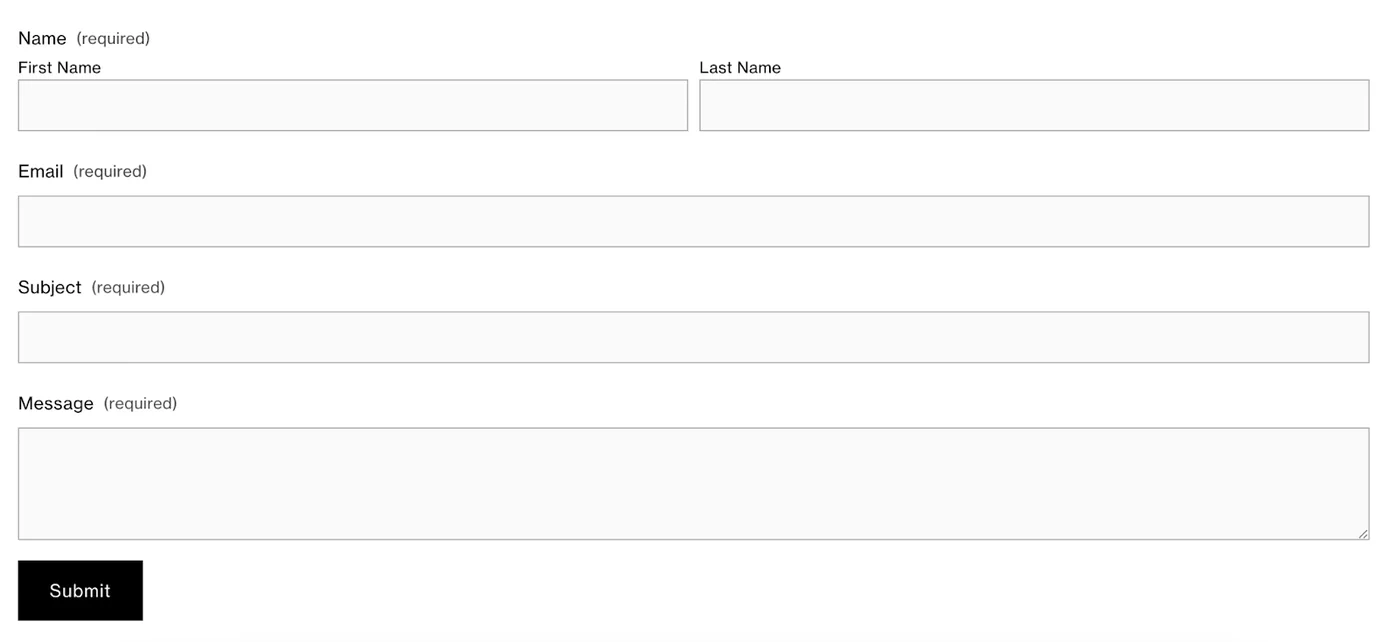
Every Squarespace fact in this guide was read on Squarespace’s own help center on November 5, 2026, and the table below puts the three routes on one checklist. It also covers two limits most guides leave out: answers to a form with no required email field are kept in the block for only 30 days, and trial sites do not email form submissions.
The three routes at a glance
The form block suits short, simple surveys; a survey tool suits long or branching ones; a quiz suits surveys that should end in a result and a follow-up.
| Form block | Embedded survey tool | Scored quiz | |
|---|---|---|---|
| Built into Squarespace | Yes | No, an outside service | No, an outside app |
| Rating scale | Survey field, five steps from Strongly Disagree to Strongly Agree | Depends on the tool | Answers carry points |
| Questions that depend on an answer | Follow-up questions, one level deep | Depends on the tool | Scoring, plus branching where the app supports it |
| Where answers go | Email, Contacts panel, Google Drive, Mailchimp, Zapier, CSV | The tool’s own dashboard | The app’s lead list with each person’s answers and result |
| Squarespace plan needed | Any plan for the block; Core, Plus or Advanced for Mailchimp and Zapier | Core, Plus or Advanced for an iframe or script in a code block | Core, Plus or Advanced for code injection |
| Best for | Feedback, intake, a quick poll | Research surveys and reports | Lead quizzes that sort and follow up |
Does Squarespace have a survey tool?
Yes, in a limited form: the Squarespace form block help page describes the block as a way to “create and customize contact forms, surveys, polls, applications, and more”, and its list of fields includes a Survey field. There is no separate survey app with reports, but you do not need code for a basic survey.
Some guides that rank for this search say Squarespace has no survey form or no rating scale. That is out of date. Squarespace’s Form fields explained page (last updated September 2, 2026) says: “For each option in the survey, visitors rate on a five-step scale from “Strongly Disagree” to “Strongly Agree.”” The other question types a survey needs are there too:
- Radio and Dropdown. One answer from a list.
- Checkbox. Several answers from a list.
- Text and Text Area. A short reply, or a long one with no character limit.
- Number. Only numbers are accepted, useful for “how many” questions.
- Hidden. Records where the visitor came from, through query parameters.
Route 1: build a survey with a form block, step by step
A form block survey takes about ten steps in the editor, and all of them are on Squarespace’s form block help page. Here they are in the order you will meet them.
- Open the Pages panel, click the page for your survey, then click Edit. A page of its own, not linked in your menu, works well.
- Click Add block or +, then click Form. Click the block, then the pencil icon.
- In the Content tab, give the form a name in Form Name. The name tells you which form each submission came from.
- Change the button text from Submit to something like “Send my answers”.
- Click Edit Form Fields. Delete the contact fields you do not need, then click Add Field for each question.
- For agree and disagree statements, add a Survey field and type one statement per option.
- To ask more only when someone picks a certain answer, click … beside that option and click Add follow-up question.
- Click Edit Post-Submit to show a thank you message or redirect to another page, an external site or a file.
- Check the Email Notification address, then click Additional storage to add Google Drive, Mailchimp or Zapier.
- Click Save, then send a test answer from a logged out browser.
Three limits are worth knowing before you write the questions. Squarespace recommends no more than 30 fields, which is also the limit for forms connected to Mailchimp. A follow-up question cannot have its own follow-up: the help page says “It’s not possible to create a follow-up to a follow-up question.” And visitors get no confirmation email from the form, so the post-submit message is your only thank you unless you add an Email Campaigns automation.
If you want one question per screen instead of a long form, read Multi-step forms on Squarespace. The form block shows every question at once.
Anonymous survey? Connect Google Drive first. Squarespace keeps form answers in the block until you delete them only when the form has a required email field. Without one, “the block stores each submission for 30 days.” If you remove the email field to keep answers anonymous, connect Google Drive or export the CSV before 30 days pass.
Where survey answers go on Squarespace
Survey answers on Squarespace go wherever the form’s storage sends them, and each form needs at least one storage option before anyone can submit it. Squarespace’s form storage help page (last updated October 13, 2026) lists the choices. Pick the one you will actually read.
| Destination | What you get | Limits to know |
|---|---|---|
| One email per answer, from form-submission@squarespace.info | One address per form. Not sent on trial sites. Survey ratings show as numbers from -2 to 2. | |
| Contacts panel | Each person under Form Submitters, with their answers | Only when the form has a required email field. |
| CSV export | Every field, one submission per row | Uploaded files come as links. Answers without a required email are kept 30 days. |
| Google Drive | A new Google Sheet, one column per field | Cannot use an existing sheet. Renaming the sheet disconnects it. Up to 50 forms per Google account. |
| Mailchimp | Each submitter added to an audience | Core, Plus or Advanced plan. No more than 30 fields. One audience per form is safest. |
| Zapier | Each answer starts an action in another app | Core, Plus, Advanced, Business or Commerce plans. |
Follow-up questions behave differently by destination. The submission email shows a follow-up only when someone answered it. Google Drive, Mailchimp and Zapier get a column for every follow-up, with empty cells for the ones nobody saw.
How to read the results
Squarespace counts submissions but does not chart the answers. The Form & button conversions report, on Core, Plus, Advanced, Business and Commerce plans, shows how many people viewed and submitted each form, as described on Squarespace’s form conversions help page. For the answers themselves, open the Google Sheet or the CSV and use a pivot table or a chart there. Survey field ratings arrive in emails as -2 for Strongly Disagree up to 2 for Strongly Agree, which makes averages easy.
A one-question survey at checkout
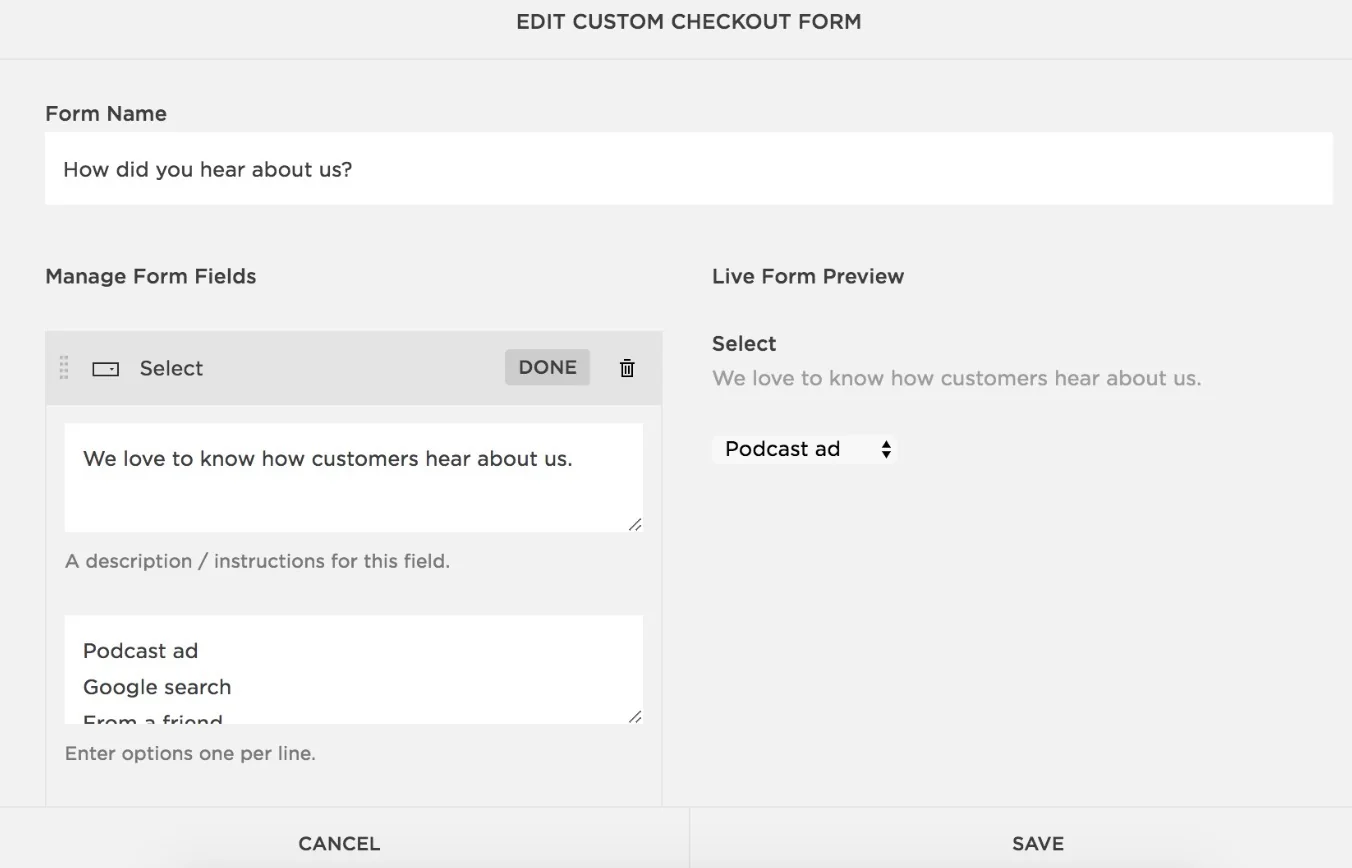
Online stores have a fourth, smaller option: a custom checkout form. Squarespace’s own example, on its referral survey help page, is a “How did you hear about us?” question with a Select field. The answer appears in the order summary, so every buyer answers it without leaving the checkout.
Route 2: embed a survey tool
An embedded survey tool is the right route when you need more than the form block gives you: questions that branch several levels deep, charts of each answer, or the same survey on many sites. You build the survey in the tool, copy its embed code or link, and place it on a Squarespace page.
Squarespace gives you two blocks for this, described on its embed block and code block help pages:
- Embed block. Paste a URL from a service that supports the oEmbed standard, or paste the code under Code snippet, Embed Data. If it does not show, Squarespace suggests a code block.
- Code block. Paste the tool’s embed code. The help page says: “To add JavaScript or an iframe to a code block, your site needs to be on the Core, Plus, or Advanced plan.” If the tool’s embed code contains an iframe or a script tag, check your plan first.
Two things trip people up. Embedded code sometimes does not appear while you are logged in, so check the page in a private window. And Squarespace support does not help with third-party code, so the survey tool’s own help center is where you go when it breaks.
Before you choose a tool, read three things on its own pricing page: how many responses the free plan allows each month, whether the free plan shows the tool’s branding, and whether you can export answers. Those limits change often, so this guide does not list them. If you are weighing Typeform in particular, Typeform quiz on Squarespace covers how it sits on a page and where it falls short.
Route 3: when a scored quiz is the better survey
A scored quiz is the better survey when every answer should lead somewhere: to a result, a recommendation and a follow-up email. A survey asks and listens. A quiz asks, adds up the answers and tells the person what fits them, so the email it asks for comes with something in return.
Squarespell Quiz is built for that job. Each answer carries points, and each outcome covers a score range, so the total decides the result.


Where a form block gives you a spreadsheet, the quiz gives you the answers already sorted. According to the features page (read November 5, 2026), every lead arrives with their answers, score and outcome, the lead form can sit before the result or after any question you choose, and the analytics show how people answered each question and which outcomes they reached. Leads export to CSV on every plan.

To put a quiz on Squarespace, you connect the website once in the app under Publish, then Sites, by pasting one loader line into Code Injection. After that, Publish to website places the quiz as a floating tab, a popup or inline on the pages you pick. Code Injection needs a Core, Plus or Advanced plan, per Squarespace’s code injection help page.
Be clear about what a quiz is not. Squarespell Quiz is set up as a scored quiz with a lead form, not as an anonymous feedback survey, and this guide did not check whether it can run questions without points or without an email. For anonymous feedback, a staff poll or open-ended research, use the form block or a survey tool. For the difference between quiz types, see Personality quiz vs scored quiz vs assessment.
Which route should you pick?
Pick by what you will do with the answers, not by how the survey looks.
- Collecting simple feedback or intake details: the form block. It is already in your plan, and Google Drive storage gives you a sheet.
- Running research with branching, charts or many questions: a survey tool, embedded with a code block on a Core, Plus or Advanced plan.
- Asking how customers found you: a one-question custom checkout form, if you sell on Squarespace.
- Turning visitors into leads with a result: a scored quiz. Each person gets an outcome, and you get their answers with their email.
Still unsure whether a form or a quiz fits? Squarespace form block vs a quiz compares scoring and results in more depth, and How many questions should a lead quiz have? helps you keep either one short.
Questions people ask
Can I make an anonymous survey on Squarespace?
Yes. Build it with a form block and remove the name and email fields. Without a required email field, Squarespace keeps each submission in the block for only 30 days, so connect Google Drive or export the CSV regularly.
Can Squarespace show survey results as charts?
Not for the answers. The Form & button conversions report shows views and submissions per form, but the answers themselves come as emails, a CSV or a Google Sheet. Make the charts in Google Sheets, or use a survey tool or quiz app that charts each question.
Does a Squarespace survey work on a free trial site?
The form works, but Squarespace does not send form submission emails on trial sites unless the owner is a Circle partner. Connect Google Drive or Mailchimp as storage during the trial so no answers are lost.
How many questions can a Squarespace survey have?
Squarespace recommends no more than 30 fields so the form stays quick to fill in and load. Thirty is also the hard limit for a form connected to Mailchimp.
Can a Squarespace survey skip questions based on an answer?
Partly. Dropdown, checkbox, radio and survey fields can show follow-up questions when someone picks a certain answer, but a follow-up cannot have its own follow-up. For deeper logic, use a survey tool or a quiz with branching.
Is a quiz better than a survey for getting leads?
Often, when the goal is leads rather than research. A quiz gives each person a result worth leaving an email for, while a survey asks for their time and gives little back. For honest feedback with no sales intent, a plain survey is the better choice.
Your next step
If a plain survey is enough, open your page editor and add a form block with a Survey field today. If you want each answer to lead to a result and a follow-up, browse the quiz templates, read what Squarespace can and cannot do with quizzes, or start a free trial. Plans and limits are on the pricing page.
How this guide was checked
On November 5, 2026 we read Squarespace’s help center pages on form blocks, form fields, form storage, embed blocks, code blocks, code injection, form conversions and checkout forms, and the two help center images come from those pages. We read the pages that rank for “squarespace survey” where they could be opened; several could not be opened from our research environment, and no survey tool’s own pages could be read, so no tool’s prices or limits are listed.
The Squarespell Quiz screens are from our screen library (captured October 3 and 4, 2026; no changelog entry since touches them), and the features were read on the features and pricing pages the same day. Nothing was built or submitted on a Squarespace site for this guide.